
Why Claude Keeps Losing Your Writing Style
How Claude handles style today
Within one conversation, Claude tracks your voice well: it absorbs the samples you paste and the corrections you make. That adaptation is context, not learning — it lives in the chat. As of July 2026, Claude's memory works as individual, categorized entries it reads and updates across conversations, which can hold stated preferences like "prefers short sentences." Useful, but a compressed note is not a voice.
The technical reason it doesn't stick
Style is high-dimensional: rhythm, register, how you hedge, what you never say. Memory entries are compact text facts; they flatten style into a few rules. Custom Styles apply a tone template you define once — consistent, but static: they don't absorb this week's corrections or your latest published pieces. Project knowledge can hold style guides, but only inside that project. Nothing in the stack accumulates your evolving voice.
What this costs a writer
Twenty minutes of re-coaching per serious session. Drift you have to police — drafts that sound almost like you, needing the same edits every time. And a voice that's locked per-tool: everything Claude has absorbed about your style means nothing in ChatGPT, your email drafter, or wherever you write next.
Claude's Built-in Workarounds (and Where They Stop)
Memory entries
Let Claude store your stated preferences — sentence length, formality, structural habits. Genuinely helpful for coarse rules; too compressed for nuance, and you can't load it with full writing samples.
Custom Styles
Defining a custom style from your samples is the strongest built-in option: it applies your register consistently across chats. Its ceiling is that it's a snapshot — a template created once, not a living profile that improves with each correction.
Projects with style guides
Uploading a style guide and exemplars to a project gives every chat in it reference material. But the knowledge is project-scoped, re-read rather than learned, and updating it means re-curating files by hand.
The shared wall: your voice profile — samples, corrections, rules — stays fragmented across Claude's features and locked to one platform, which is the same root cause behind why Claude forgets your writing style.
The Fix: Give Your Voice a Permanent Home
The durable approach: keep your style corpus in one persistent memory outside any single AI. MemoryLake holds your best writing samples, your style rules, and the corrections that matter — versioned Git-style, so your voice's evolution is tracked rather than overwritten, and end-to-end encrypted, so unpublished work stays private.
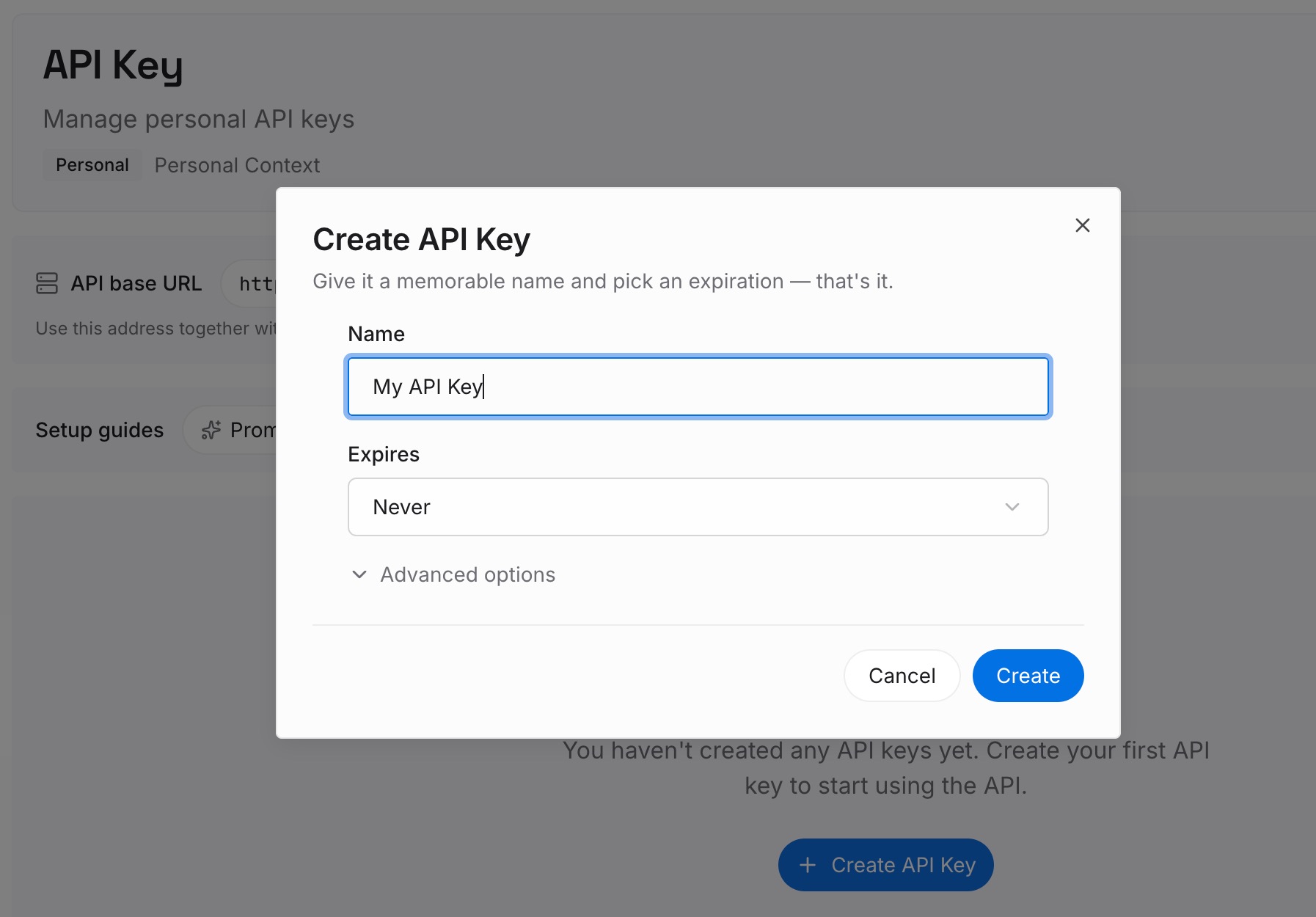
Step 1: Create an API key
Sign in to MemoryLake, generate a key, and make your first request — it takes about 30 seconds.
Step 2: Upload your first memories
Drop in your voice corpus: 5–10 pieces that sound most like you (documents, images, and other files all work), plus your style rules as text memories — the openings you favor, the words you ban, the structures you reuse. When you correct a draft in a way worth keeping, add that correction as a one-line memory.

Step 3: Connect your AI & agents
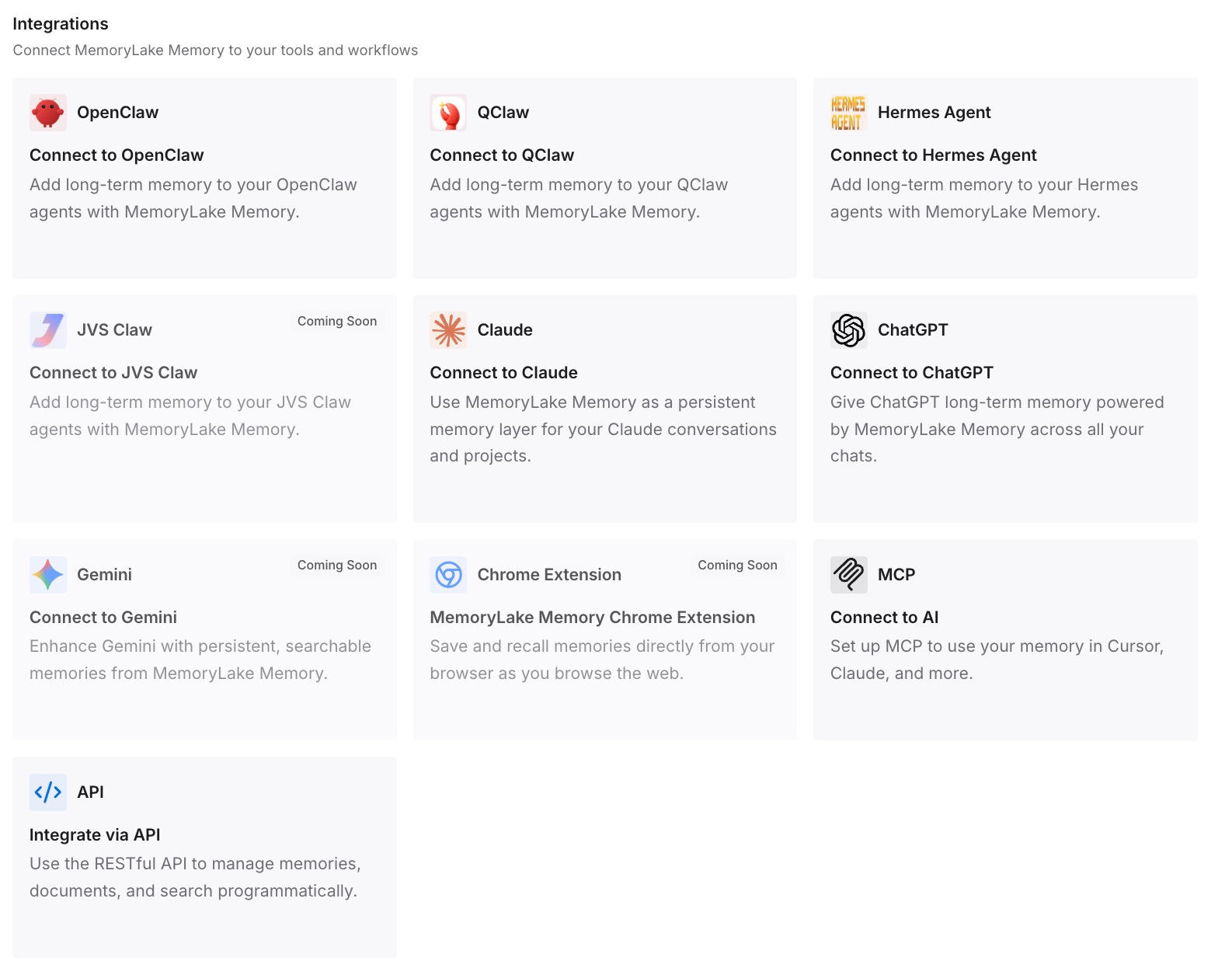
Connect Claude via MCP with your API key, and every conversation can pull your samples and rules on demand — no more re-coaching. The same memory serves Codex, OpenClaw, and any other agent via MCP or the API, so your voice follows you across tools instead of restarting in each one.
What Re-Teaching Your Voice Actually Costs
The coaching tax
Re-establishing voice at the start of every serious writing session — samples, rules, first-draft corrections — easily consumes 15–20 minutes. Across a week of content work, that's hours spent making the tool sound like you instead of writing.
A corpus that compounds
With a persistent voice profile, each session starts from your accumulated samples and every past correction. The drafts arrive closer to final, and the profile keeps improving — one correction now saves the same correction in every future session, in every tool.
Best Practices for a Voice Memory
Curate hard, not broad
Ten pieces that are unmistakably you beat fifty that are merely fine. The corpus defines the target; keep it sharp.
Log corrections as rules
When you fix a draft the same way twice, that's a rule — write it as one dated memory line ("never open with a rhetorical question") instead of re-editing forever.
Version your voice by context
Newsletter-you and documentation-you differ. Keep scoped style memories per format so retrieval matches the job at hand.
Conclusion
Claude's memory entries and custom Styles are real progress, but they hold a sketch of your voice, not the voice itself — and the sketch stays locked in one app. Put your samples, rules, and corrections into a persistent memory once, and every Claude session starts sounding like you from the first draft — and so does every other AI you write with. Teach your style once; keep it everywhere.