
What Auto-review is
The documentation opens with a short definition: "Auto-review sends eligible approval requests to a separate reviewer agent. Your sandbox, command rules, and tool settings determine which actions need approval. The reviewer decides whether those actions can proceed."
So Auto-review doesn't change what needs approval. It changes who answers. Without it, a request that crosses your sandbox boundary stops for you. With it, the request goes to a reviewer agent that approves or denies it and gives a reason.
The documentation lists the steps:
- "The main agent proposes an action, such as running a command."
- "If the action needs approval, Codex creates a request."
- The request goes "to a separate reviewer agent instead of stopping for a person."
- "The reviewer decides whether the action should run and returns a rationale."
- An approved action continues. A denied one sends the main agent to "find a materially safer path or stop and ask the user."
How to turn it on
In the ChatGPT desktop app, the documentation says to choose Approve for me from the permissions control below the composer, and to check that it's selected for the current chat.
In the CLI or a local configuration, set approvals_reviewer to auto_review together with an interactive approval policy such as on-request. The documentation adds a detail: "Changing the approval policy alone doesn't select the reviewer."
Auto-review needs interactive approvals to work at all. With the approval policy set to never, the documentation says, "there is nothing to review." It's the same with full access: with never, :danger-full-access, or --yolo, "an action can avoid creating the boundary-crossing approval request that review requires."
Administrators can require Auto-review for their organization through managed configuration.
Which requests it evaluates
The documentation says Auto-review "evaluates approval requests that would otherwise pause for a human." Its list:
- "Shell or exec tool calls that request escalated sandbox permissions."
- Commands that match a command rule set to prompt, "including commands inside the sandbox."
- "Network requests to destinations that require approval."
- "File edits outside the allowed writable roots."
- "MCP or app tool calls that require approval based on their tool annotations or configured approval mode."
What's already allowed skips it: "Actions that already have permission to run proceed without review." Computer Use access prompts go to you directly, though eligible Computer Use tool calls can trigger a review.
One consequence matters for security setups. A destination on your network allowlist doesn't reach the reviewer on its own. The documentation says to add command rules with a prompt decision, or to require approval for sensitive MCP tools, "when actions inside the sandbox must still reach the reviewer."
We covered how command rules decide what runs outside the sandbox, including where always-allow approvals get saved, in our guide to Codex rules.
What it's designed to block
The documentation summarizes the default policy's targets:
- "sending private data, secrets, or credentials to untrusted destinations"
- "probing for credentials, tokens, cookies, or session material"
- "broad or persistent security weakening"
- "destructive actions with significant risk of irreversible damage"
Those are categories, not a checklist. The reviewer judges each request against the policy, which is why the same kind of action can be approved in one context and denied in another.
What the reviewer sees from your chat
This is the part that decides how good its judgments can be. The documentation says: "The reviewer sees a compact transcript plus the exact approval request. That typically includes user messages, surfaced assistant updates, relevant tool calls and tool outputs, and the action now being proposed for approval."
It can also look around before deciding: "It can also perform read-only checks, such as inspecting a directory before approving its deletion."
It doesn't see the model's private reasoning: "Hidden assistant reasoning is not included. Auto-review sees retained chat items and tool evidence, not private chain-of-thought."
That has a practical effect. The reviewer works from what's in the chat. If you explained earlier why a folder is safe to delete, or which external service a task is allowed to reach, that explanation is part of what the reviewer can see. If the reason lives only in your head, the reviewer has no access to it.
What happens after a denial
A denial isn't treated like an ordinary sandbox error. The documentation says Codex returns the reviewer's rationale to the main agent with a stronger instruction:
- "Do not pursue the same outcome via workaround, indirect execution, or policy circumvention."
- "Continue only with a materially safer alternative."
- "Otherwise, stop and ask the user."
Repeated denials stop the turn. For most models, the documentation says, "the Codex CLI interrupts the turn after 3 consecutive denials or 10 denials in the last 50 reviews in that turn." For models designated for cybersecurity, the CLI interrupts on the first denial. Any other review outcome resets the consecutive-denial count.
Timeouts are reported separately, and the documentation notes that "the main agent is informed that a timeout alone is not proof that the action is unsafe."
Why it can deny a request you retry
This is the behavior from the opening example. There's an override path, and the documentation describes it for the current open-source terminal interface: run /approve to open the denials picker, "then select one recent denied action to approve for one retry." Codex keeps up to 10 recent denials per task.
The override is narrow by design. It applies to that exact action, once, in the same context, and the retry is reviewed again. The reviewer sees your override, but policy still wins. So if the policy says a user can't override a certain class of denial, the retry can be denied again.
When that happens, the documentation's broader advice applies. If the action is genuinely needed, change the boundary or the policy on purpose rather than repeating the retry.
How to replace its policy
The reviewer works from a template and a policy. The documentation explains: "Codex inserts the security policy into that template and specifies the response format separately." The CLI uses the reviewer model's default policy when available, and otherwise a bundled policy file.
To change the policy, you replace it, and the documentation is precise about what that means: "To replace the policy, copy the complete policy you want to adapt." You edit the rules you want to change and put the full text in the local auto_review policy setting or the managed equivalent. Then the warning: "Omitted rules drop out of the replacement."
So a short policy with one new rule isn't an addition. It's a replacement that removes every default rule you didn't copy. Two more details: "Managed guardian_policy_config takes precedence over local [auto_review].policy", and "Codex ignores blank policy values."
How to reduce review volume
If Auto-review is busy with routine actions, the documentation suggests fixing the boundary rather than the reviewer: "If too many mundane actions need review, fix the boundary first instead of teaching the reviewer to approve noisy escalations forever."
Its two highest-leverage changes are narrow writable roots for scratch directories or neighboring repositories, and narrowly scoped prefix rules for specific commands such as running tests or a linter. It warns that "Broad rules often erase the boundary Auto-review is meant to guard."
There's also a record to learn from: "Auto-review session transcripts are retained under ~/.codex/sessions by default, so you can ask Codex to analyze past traffic there before changing policy or permissions."
What Auto-review isn't
The documentation ends with limits. Auto-review "is not a deterministic security guarantee." It only evaluates eligible requests, "It can still make mistakes, especially in adversarial or unusual contexts", and "It should complement, not replace, good sandbox design, monitoring, and organization-specific policy."
What people try first
Changing only the approval policy. You also have to select the reviewer.
Using Auto-review with approvals set to never. There's nothing to review.
Retrying a denied action and expecting it to pass. The retry is reviewed again, and policy can deny it.
Writing a short replacement policy. Omitted rules drop out.
Relying on an allowlisted domain to trigger review. It doesn't by itself. Add a prompt rule.
The Fix: Give the reviewer what it needs to decide
Step 1: Turn it on correctly
Set an interactive approval policy and select the auto-review reviewer.
Step 2: Tighten the boundary first
Add narrow writable roots and precise prefix rules for routine work.
Step 3: State intent in the chat
Tell Codex what a risky step is for before it asks. The reviewer sees the chat.
Step 4: Record your approval decisions
Write down which risky actions you allow, in which projects, and why.
Setting this up in MemoryLake
The reviewer judges each request from the chat in front of it. Your reasoning about what's acceptable, such as which external services a project may call, which folders are safe to delete, or why a rule exists, is project context that has to be restated in every new chat unless it's written down.
MemoryLake is a memory layer for that kind of project context, such as approval decisions, boundaries, and the reasons behind them, kept in one place you maintain and available to the assistants you connect, such as ChatGPT, Claude Code, and Codex.
You write the entries yourself, in your own words. Nothing is read out of, written to, or deleted from your Codex sessions, your review transcripts, your config.toml, your Auto-review policy, or any vendor's store. Auto-review works the way OpenAI describes it.
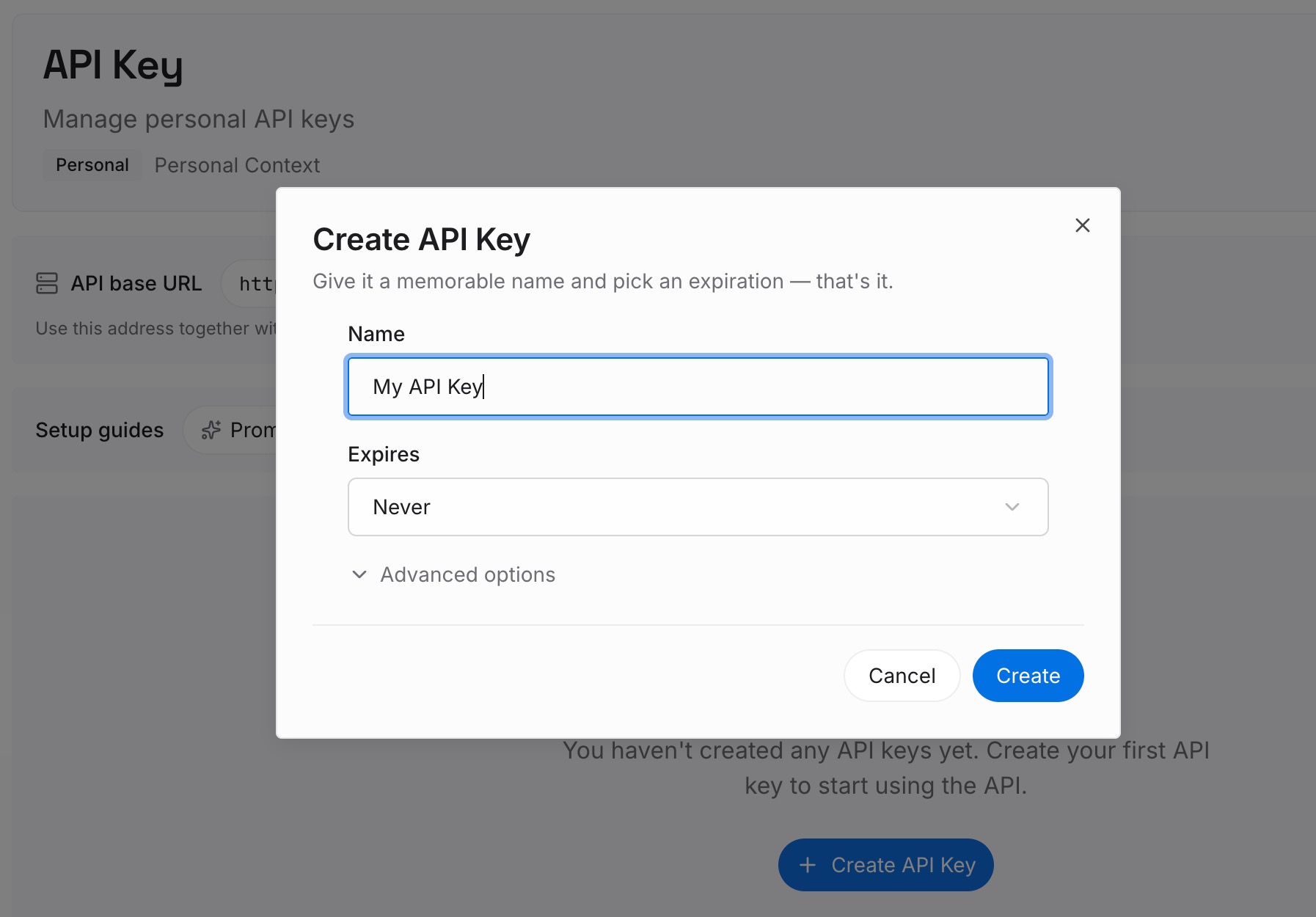
Step 1: Create an API key
Sign in and generate a key from the dashboard. Store it outside your repositories, like any other credential.
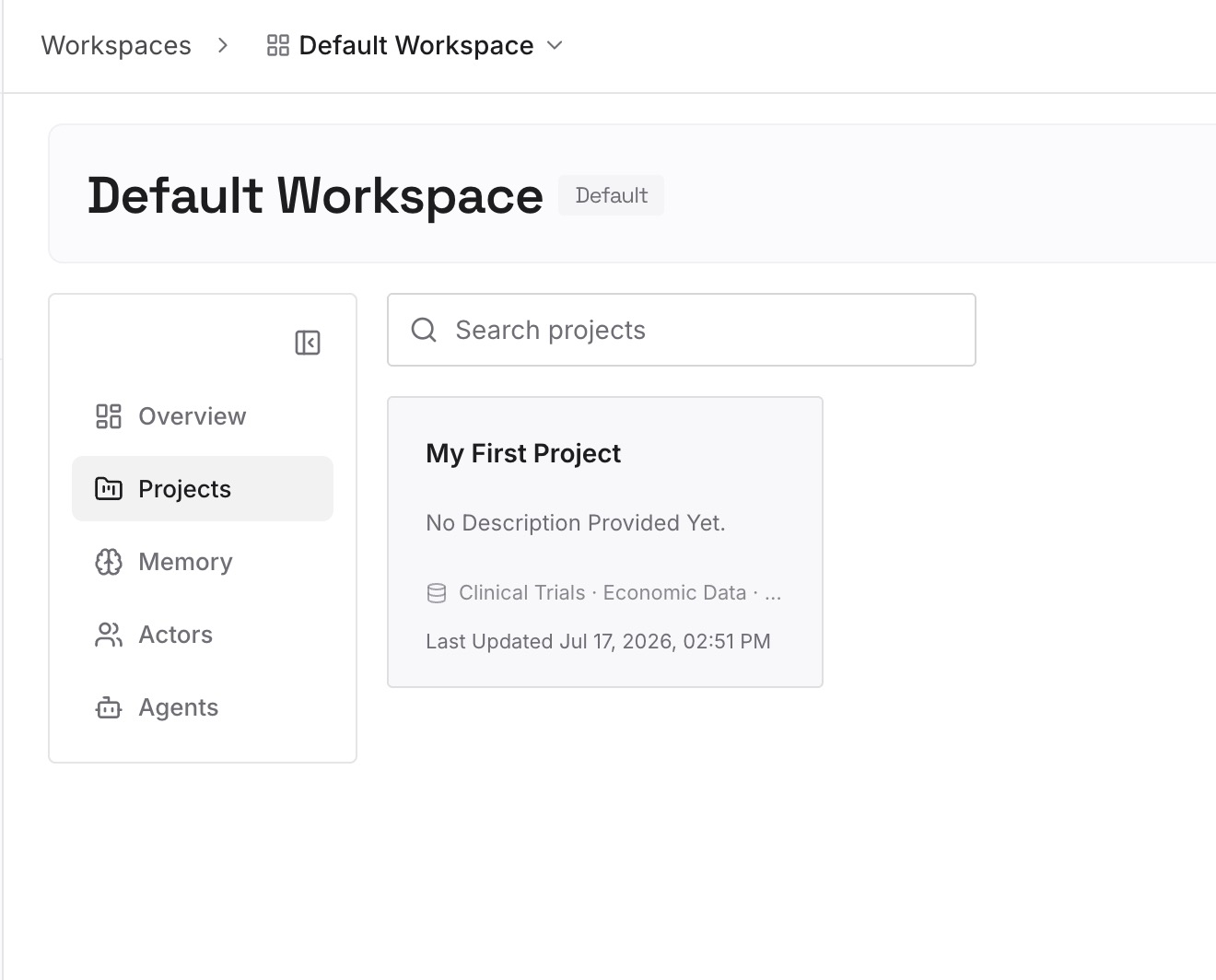
Step 2: Upload your first memories
Start with what you wrote in Step 4 of the fix: approval decisions and their reasons. One decision per entry.
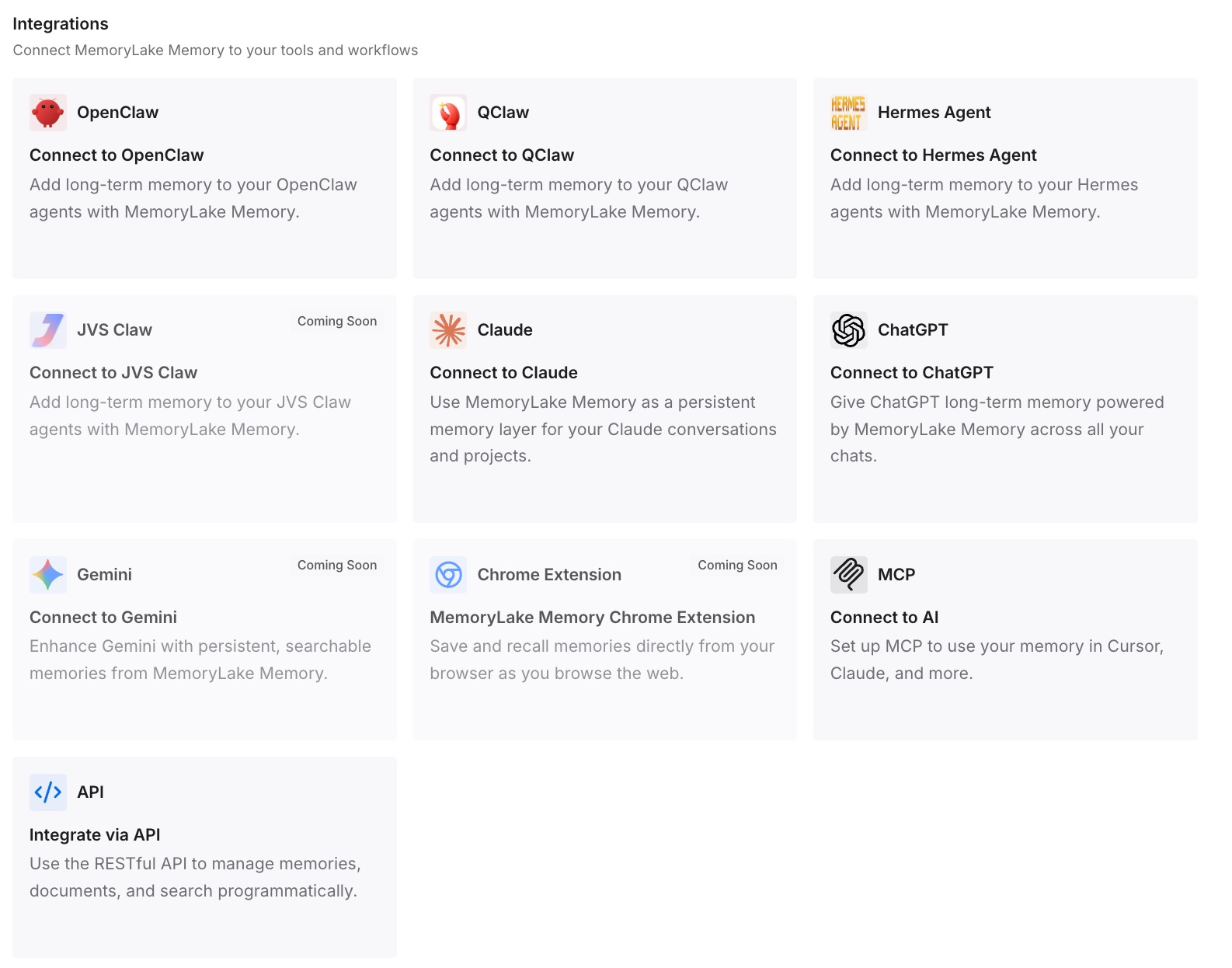
Step 3: Connect your AI & agents
Connect Codex, Claude Code, and the other assistants you use. Each can start a task with the same decisions in view.
What this changes in practice
The first difference is better context for each task. The reasons behind a risky step are ready to state at the start.
The second is fewer repeated denials. Boundaries and rules change on purpose, with a record of why.
The third is consistency across tools. The same decisions are available in Codex and in other assistants.
Best practices for Codex Auto-review
Keep approvals interactive. Auto-review needs on-request or a granular policy.
Fix noisy boundaries. Don't train the reviewer to approve routine escalations.
Prefer precise prefix rules. Broad rules erase the boundary.
Replace policies in full. Copy the whole policy before editing.
Use the transcripts. Past reviews in ~/.codex/sessions show what's being flagged.
Treat it as one layer. It complements sandboxing and monitoring.
Conclusion
Codex Auto-review sends approval requests that would otherwise stop for you to a separate reviewer agent, which approves or denies them with a rationale. It only works with interactive approvals, and selecting it means setting the reviewer, not just the approval policy. It evaluates escalated commands, prompt rules, network requests that need approval, edits outside writable roots, and MCP or app calls that require approval.
The reviewer sees a compact transcript and the exact request, can run read-only checks, and doesn't see hidden reasoning. A denial comes with an instruction not to work around it, repeated denials stop the turn, and a one-time override is still reviewed. Replacing the policy means copying it in full, because omitted rules drop out. Tighten the boundary first, and keep the reasons behind your decisions where the next chat can use them.