
What changed on November 19
The release note lists the new places Health appears: the desktop app, dots, sites, and Android. On Android, that means connecting Health Connect, which plays the role Apple Health plays on an iPhone.
The help article now opens with the same news: "Health in ChatGPT is rolling out on Android, desktop, and in dots." It adds that if you don't see Health on one of these surfaces, it may not be available for your account yet.
Two parts of the note matter beyond the new surfaces.
Dots can use Health. The release note describes proactive suggestions from your dot, "like another time for a workout when a meeting gets in the way or a reminder about preventive care options based on your connected medical records." The help article sets the condition: "To use Health with your dot, you need access to both Health and dots." Dots are currently a Pro feature.
Sites can use it too. The note gives an example of using the desktop app to build a site that tracks marathon training, with runs and progress toward a plan in one place.
Availability hasn't widened by region. The release note says: "Health is available to Free, Go, Plus, and Pro users in the U.S." The help article adds two device rules: "Connecting Apple Health requires an iPhone. Connecting Health Connect requires an Android device."
Where your old Health chats went
If you used Health before this update, your history didn't disappear, but it didn't move either.
The help article explains: "Your earlier Health chats and uploaded files remain in a Health Project under Projects in the ChatGPT sidebar and may be pinned for easy access."
That project keeps the rules of the earlier design. The article says it "retains the segmented controls of the legacy Health experience" and gives the main example: "memories in the Health Project are contained to that project and cannot be used to personalize your chats elsewhere in ChatGPT."
Then the line that explains the empty-looking Health tab: "The Health Project is separate from the new Health tab. Your old chats and files do not move into the new Health tab automatically."
So there are now two places for health conversations:
- The Health Project holds your earlier Health chats and uploaded files, with memory kept inside the project.
- The Health tab is the new home base for connected accounts, recent data, trends, and new health conversations.
Neither one replaces the other on its own. If you want to keep using the earlier conversations, open them from the project. If you start a new health conversation from the Health tab, it doesn't inherit the earlier project's files or memories.
What the new Health tab is for
The help article calls the Health tab "your home base for connecting and managing your accounts, seeing recent data and trends, exploring suggested prompts, browsing synced records, and returning to past health conversations."
It's also where you can ask about a result without writing a prompt. The article says you can select a chart, metric, or synced record to see personalized explanations, and gives the example of selecting a lab result to see what it means and how it has changed over time.
That makes the tab the place to check what's connected and what has synced. Any conversation that uses Health, wherever you start it, follows the memory rules in the next sections.
What ChatGPT can use from your connected data
The help article describes the scope plainly: "With your permission, ChatGPT can use relevant information you've connected in Health, including Apple Health, Health Connect, and supported medical records, to provide responses and proactive updates informed by your specific details."
You can connect Apple Health on iOS, Health Connect on Android, supported U.S. provider portals, One Medical, and Function Health. Wearables and fitness apps such as WHOOP, Oura, or Garmin reach ChatGPT through Apple Health or Health Connect, not directly. The article notes a limit there: "ChatGPT only sees information that the app shares through Apple Health, Health Connect, or another connected source." Some scores an app calculates for itself may not come through.
Once data is synced, it isn't limited to the Health tab. The article says: "Once your data is synced in Health, you can ask questions using that data anywhere in ChatGPT." ChatGPT decides when the data is relevant, and you can add an @Health mention to your message when you want it used.
It can also act without being asked. The article says ChatGPT "may also use connected data to provide proactive updates, for example when new medical records are synced or when a new health trend is detected in your Apple Health or Health Connect data."
How much it can do with the data follows a permission setting. Health starts from your global plugins permission, which allows low-risk actions unless you changed it. You can set Health separately under Settings > Plugins > Health.
What becomes a memory and what doesn't
This is the part the title asks about.
Your synced records don't become memories. The help article is direct: "Memories are not created directly from data synced in Health." A lab result from your portal or a sleep series from your phone stays connected data. ChatGPT can look it up when it's relevant, but it isn't copied into your saved memories.
What you say in a Health conversation can. The article answers its own question, "Can Health conversations create memories?", with "Yes. When memory is on, conversations that use Health can create memories to personalize future chats." Its example is a goal you mention: if you say you're working on your sleep because of an early work schedule, ChatGPT can keep that goal in mind in later conversations about sleep or your routine.
So the line runs between data and conversation. Your records stay in Health. What you tell ChatGPT about your goals, worries, and plans is handled like anything else you say in a chat with memory on.
Your Health profile is a third thing. When you connect Health, you're asked to review active conditions, current medications, and family history. You can update them from the Health tab or ask ChatGPT to update them in a conversation. The article says the profile is local to ChatGPT: "Updates made to your current conditions, current medications, or family history, including changes requested in a conversation, only change your Health profile in ChatGPT." It also says ChatGPT "cannot edit records held by your healthcare provider or write information to Apple Health, Health Connect, or another connected account."
How to keep health memories separate
If you'd rather health topics didn't shape the rest of your chats, the help article gives you three options.
Use a separate project. The article suggests it directly: "If you want to keep your Health memories separate from other kinds of memories in ChatGPT, you may consider creating a separate project for Health conversations and turning on project-only memory." That's the same arrangement the old Health Project already has.
Skip memory for one conversation. The article says: "If you'd like to have a conversation without creating memories, you can use Temporary Chat or turn memory off in Settings > Personalization."
Keep other people's information out of your own Health. If you're helping a parent or a partner with their results, the article says the connected experience "is intended for your own records", and points to "a separate account or a separate project with project-only memory and uploaded files."
Project-only memory has one side effect worth knowing before you switch an existing project. We covered how the two project memory modes differ, and what switching removes from memory used outside the project, in our guide to ChatGPT project memory modes.
What disconnecting a source deletes
You can remove a connected account from Health > Accounts at any time. The help article describes what happens next in two sentences: "When you do, data synced from that source is deleted from OpenAI's systems within 30 days. Information already included in your ChatGPT conversation history remains until you delete those conversations."
That gives you three separate things to clean up if you want a source gone:
- The synced data is deleted within 30 days of disconnecting.
- Conversations that quoted or discussed that data stay in your history until you delete them.
- Memories created in those conversations follow your memory settings. Disconnecting a source isn't described as removing them, so review saved memories yourself.
The same pattern applies when a parent turns Health off for a linked teen account. The article says: "Your Health connection is disconnected and your synced health data is deleted. Your existing chats remain." If Health is turned back on, the earlier connection and synced data aren't restored, so sources have to be connected again.
Training and sharing
The help article separates synced data from conversations here too.
On synced data: "The data you sync through Health, such as medical records and Apple Health or Health Connect data, is not used to train our foundation models or target ads."
On conversations: "Your model improvement settings determine whether conversations that reference your connected Health data, and content derived from that data, can be used to improve our models." To opt out, turn off the model improvement setting under Settings > Data Controls.
There's also a check on sharing through other plugins. The article says that before ChatGPT takes an action in another connected plugin that could disclose Health information, "like sending your running partner a training plan based on your Apple Health data, additional safeguards help check that the sharing matches your request." For some sensitive actions, it may ask you to confirm.
One limit to know if you work in healthcare: "Health in ChatGPT is not intended for clinical or covered-entity use and does not offer a Business Associate Agreement." OpenAI points clinical teams to its separate healthcare offerings.
If Health is missing or not using your data
The troubleshooting section covers these cases.
Health isn't in the sidebar. Update the app. Check the Explore menu on iOS, Android, and desktop, or the more options menu on web. If your account is linked to a parent or guardian, Health may be turned off there.
ChatGPT doesn't use your data. Add @Health to your message. The article says ChatGPT uses connected data "when relevant and when you allow it", so the permission setting matters too.
Phone data doesn't arrive. Check that read access is on for ChatGPT in Apple Health or Health Connect, and review the sync status from the Health tab. For a provider account, sync again or reconnect if access expired.
What people try first
Looking for old Health chats in the Health tab. They stay in the Health Project under Projects.
Assuming records became memories. Memories aren't created directly from synced data.
Assuming Health chats can't create memories. They can, when memory is on.
Disconnecting a source to erase everything. Conversations remain until you delete them.
Connecting Health Connect from an iPhone. It requires an Android device.
The Fix: Decide where health context lives
Step 1: Find your Health Project
Open Projects and confirm your earlier Health chats and files are there.
Step 2: Choose a memory boundary
Use a separate project with project-only memory, or Temporary Chat, for health topics.
Step 3: Review sources and saved memories
Remove accounts you no longer want connected, and check saved memories for health details.
Step 4: Write down the context you want to keep
Note your goals, routines, and the questions you want to raise at your next appointment.
Setting this up in MemoryLake
Health questions can depend on context that isn't in any record: the goal you're working toward, the routine you're trying to change, the questions you meant to ask at the next appointment. In ChatGPT, that context can end up split between an old project, a new tab, and saved memories, each with its own rules.
MemoryLake is a memory layer for that kind of personal context, such as goals, routines, and questions to follow up on, kept in one place you maintain and available to the assistants you connect, such as ChatGPT, Claude Code, and Codex.
You write the entries yourself, in your own words. Nothing is read out of, written to, or deleted from your Health connections, your medical records, your Health Project, your ChatGPT memories, or any vendor's store. Health in ChatGPT works the way OpenAI describes it.
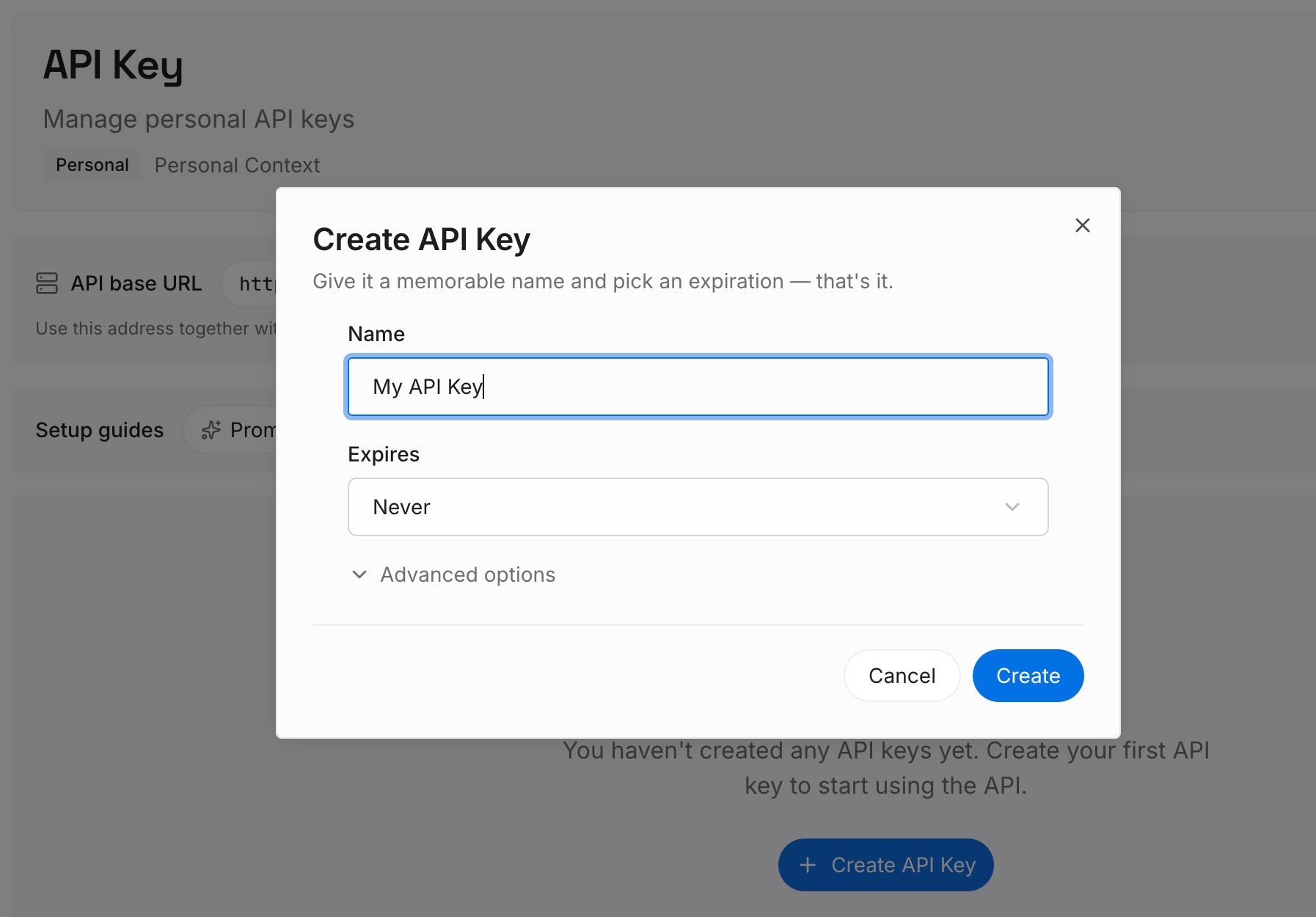
Step 1: Create an API key
Sign in and generate a key from the dashboard. Store it somewhere private, like any other credential.
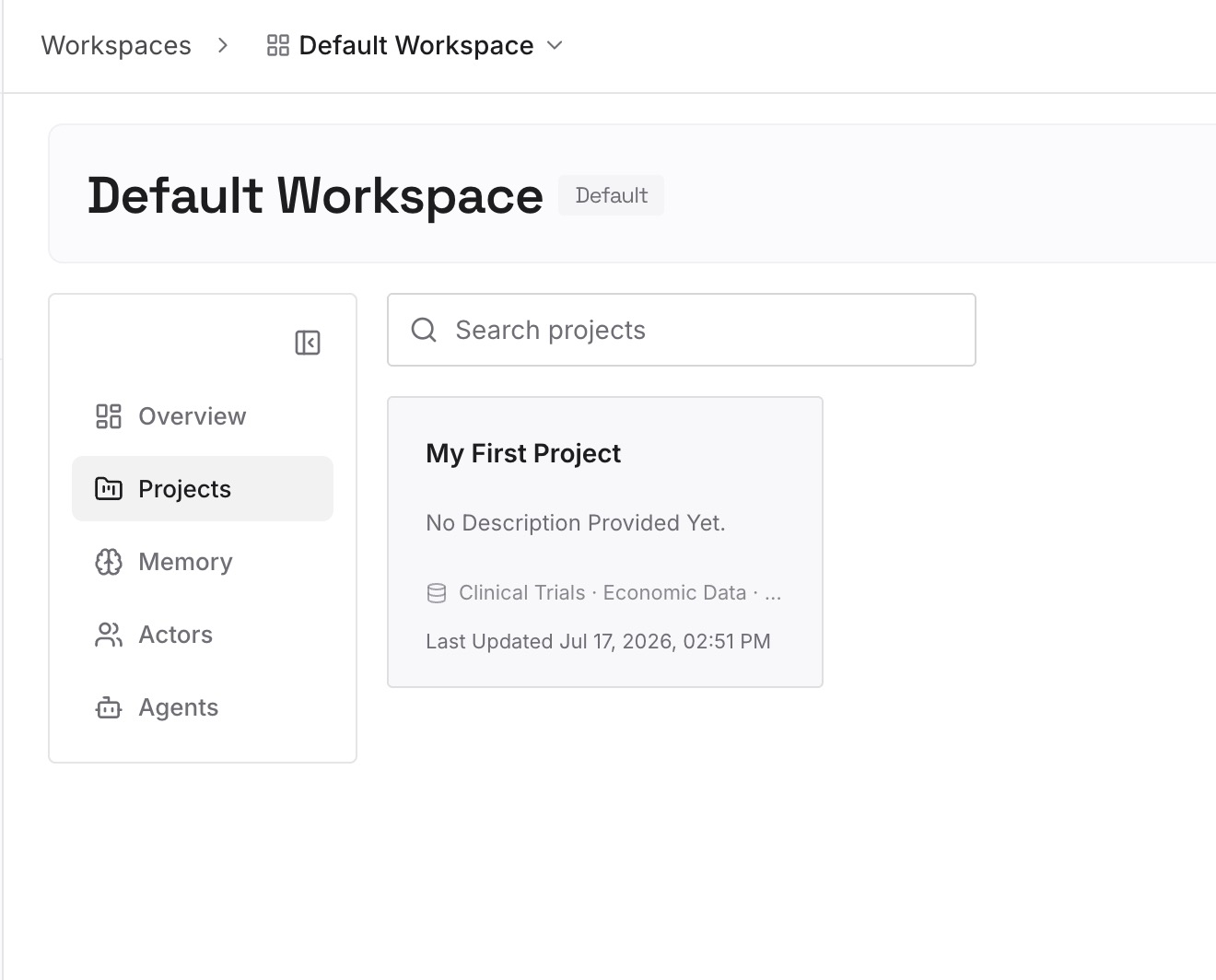
Step 2: Upload your first memories
Start with what you wrote in Step 4 of the fix: goals, routines, and follow-up questions. Leave medical records, test results, and diagnoses out. One topic per entry.
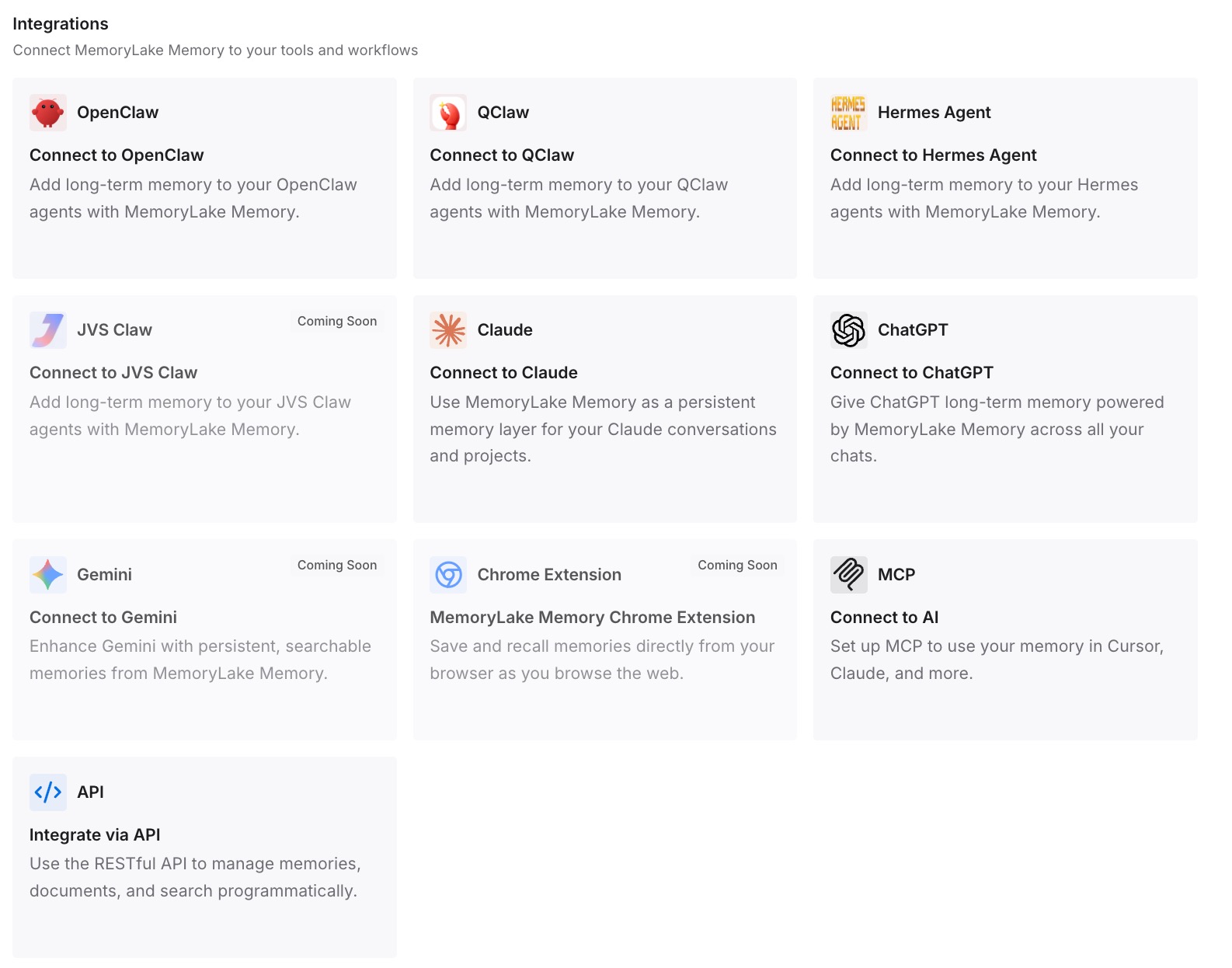
Step 3: Connect your AI & agents
Connect ChatGPT and the other assistants you use. Each can start from the same goals without you restating them.
What this changes in practice
The first difference is fewer restarts. A new Health conversation can start from goals you already wrote down.
The second is a clearer boundary. Records stay in Health, and your own notes stay where you put them.
The third is easier cleanup. Disconnecting a source or deleting a chat doesn't take your notes with it.
Best practices for ChatGPT Health
Open the Health Project before starting over. Your earlier chats and files are there.
Choose a memory boundary on purpose. Project-only memory keeps health topics contained.
Use Temporary Chat for one-off questions. It doesn't create memories.
Review permissions. Set Health separately under Settings > Plugins.
Clean up in three places. Synced data, conversations, and saved memories are handled separately.
Keep other people's records out. Use a separate account or project for them.
Conclusion
Health in ChatGPT is rolling out to Android with Health Connect, the desktop app, dots, and sites, for Free, Go, Plus, and Pro users in the U.S. Your earlier Health chats and files stay in a Health Project, where memories are contained to that project, and they don't move into the new Health tab on their own.
Synced records don't become memories, but conversations that use Health can create them when memory is on. A separate project with project-only memory, or Temporary Chat, keeps health topics apart. Disconnecting a source deletes its synced data within 30 days, while conversations stay until you delete them, so plan your cleanup across data, chats, and saved memories.